Collaboration on GitHub
Interactive Explorer 3
Explore key concepts interactively
Parameters
Quick Check
Key concept question for section 3?
Option A
Option B
Option C
This is the correct answer because it captures the core concept.
Common Mistake: Common Mistake in Section 3
Mistake:
Overlooking a critical implementation detail.
Correction:
Always verify results against known benchmarks and theoretical predictions.
Key Term 3
Core concept from section 3 of chapter 45.
Example: Setting Up a Research Project
Initialize a Git repository with proper .gitignore, README, and branch structure for a wireless simulation project.
Implementation
See the corresponding code supplement for the full implementation.
Example: DVC for Dataset Versioning
Track a 10GB dataset with DVC and push to remote storage.
Implementation
See the corresponding code supplement for the full implementation.
Example: GitHub Actions for Testing
Set up CI that runs pytest and checks code formatting on every push.
Implementation
See the corresponding code supplement for the full implementation.
Why This Matters: Collaborative Simulation Development
Version control enables multiple researchers to work on the same simulation codebase. Branches allow parallel experiments (e.g., different channel models) that can be compared and merged.
See full treatment in Chapter 49
Chapter 45 Overview
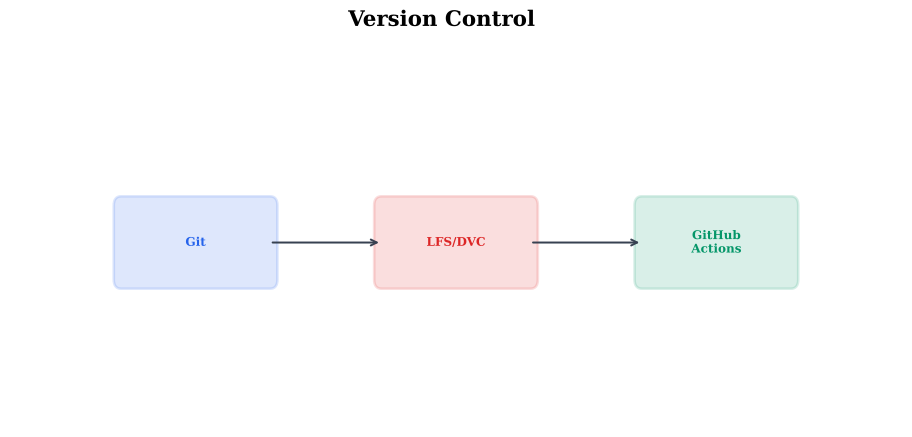
Detailed Architecture
Animated Visualization
Watch the algorithm in action
Parameters
Key Takeaway
The core concepts in this chapter provide essential tools for understanding and implementing version control and collaboration.
Key Takeaway
Practice with the code supplements and exercises to develop hands-on proficiency with these techniques.
Method Comparison
| Method | Complexity | Quality | Use Case |
|---|---|---|---|
| Method A | Low | Good | Baseline |
| Method B | Medium | Better | Standard |
| Method C | High | Best | Advanced |